Saramsh Gautam on Mar 23, 2026
Reading Time: 10 Min
According to industry studies, companies that successfully transition to cloud-based modular systems report up to 40% faster time-to-market and operational costs reduced to nearly 50%.
However, reforming legacy systems is complex, especially traditional monolithic systems used in Healthcare, Finance, and Claims that handle millions of user records and often require a complete overhaul or integration with external components.
Start by deeply understanding the software’s monolithic codebase to avoid data loss, map how interwoven the components are (high coupling requires heavy refactoring), cleanliness of code, documentation availability, data ownership and data integrity, dependencies on third-party tools, and identifying “God objects” that handle multiple unrelated responsibilities before determining how much to refactor before migrating.
These are the surface-level aspects you would need to learn before migrating software. Let us explore it together and try to decode the mystery using a checklist and a basic guide.
Breaking Down a Legacy Software
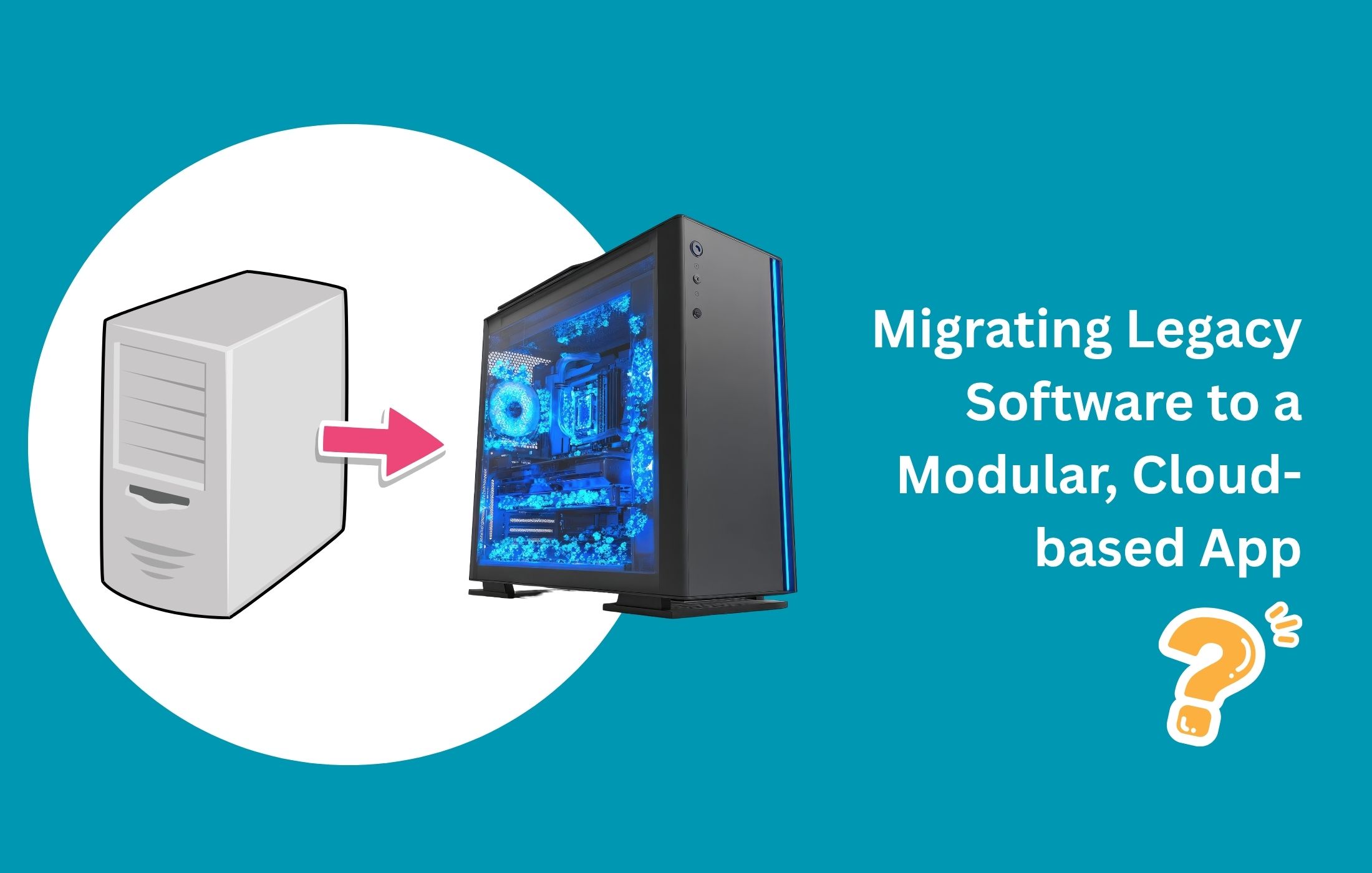
Legacy software is usually built as a single, tightly coupled monolith: one large codebase, one shared database, intertwined business logic, and everything deployed as a single unit.
Although it may have worked for years, it has become more of a burden today due to bottlenecks in scalability, autonomy, and integration with modern tools.

Migrating to an API-based, modular app allows each module to scale, deploy, and update independently. But rushing without assessment may become the biggest reason for a downfall.
Here is a practical checklist to evaluate your legacy system before you start breaking it apart:
|
Phase |
What to Do |
Key Checklist Questions |
Tools / Methods |
Success Metric |
|
Inventory & Mapping |
Catalog every component, module, and data flow in the current system. Draw the full architecture diagram. |
- How many entry points, services, and databases exist? - Are there any “god classes” or shared libraries used everywhere? - Which parts are business-critical vs. supporting? |
- Code scanners (SonarQube, NDepend) - Architecture tools (Lucidchart, Draw.io, Structurizr) - Manual code walkthrough |
Complete architecture map + component inventory with ownership & tech stack |
|
Dependency & Coupling Analysis |
Identify all inter-module calls, shared databases, and tight couplings. |
- Which modules share the same database tables? - How many synchronous calls exist between modules? - Are there circular dependencies? |
- Dependency graphs (Dependency Walker, IntelliJ Architecture, or Python’s Pydeps) - Static analysis (Understand, CodeScene) - Database ER diagrams |
Dependency matrix + coupling score (aim for <30% tight coupling) |
|
Performance & Scalability Audit |
Measure current bottlenecks and simulate future load. |
- What is the current response time & throughput under peak load? - Which modules are CPU/memory hogs? - Can any part handle 5× traffic independently? |
- Load testing (JMeter, k6, Gatling) - Profiling (New Relic, Datadog APM, YourKit) - Database query analysis |
Baseline metrics report + identified scalability hotspots |
|
Data & State Management Review |
Analyze how data is stored, accessed, and updated. |
- Is the database schema normalized or full of joins? - Are there transactions spanning multiple tables/modules? - How is data consistency handled today? |
- Schema analysis tools (dbdiagram.io, Dataedo) - Query logs + slow-query reports - Event storming workshop |
Data migration feasibility report + eventual consistency plan |
|
Security & Compliance Check |
Review authentication, authorization, and regulatory needs. |
- How is auth currently handled (monolithic session vs. token)? - Are there any hard-coded secrets or legacy protocols? - Does the system comply with GDPR/CCPA/HIPAA? |
- OWASP ZAP, SAST tools (SonarQube, Checkmarx) - Secret scanners (TruffleHog, GitGuardian) - Compliance audit checklist |
Security gap report + API security blueprint (OAuth2/JWT + API Gateway) |
|
Business & Team Readiness |
Evaluate people, processes, and ROI. |
- Do teams have DevOps/SRE skills for microservices? - What is the expected ROI (time-to-market, cost savings)? - Which features must stay monolithic longer? |
- Stakeholder interviews - ROI calculator spreadsheet - Skills gap assessment |
Prioritized migration backlog + phased roadmap (Strangler Fig pattern recommended) |
|
Integration & API Readiness |
Test how the system talks to external services. |
- Which external systems/APIs does it already consume? - Can we expose internal modules as APIs without breaking contracts? - Are there batch jobs that need to become event-driven? |
-Postman/Newman collections - API contract tools (OpenAPI/Swagger, Pact for contract testing) |
OpenAPI specs for candidate services + integration test suite |
|
Risk & Rollback Planning |
Identify failure modes and mitigation. |
- What is the worst-case downtime scenario? - Do we have monitoring in place? - Can we run the old + new system in parallel? |
- Failure mode workshops - Chaos engineering (Gremlin lite) - Rollback plan template |
Risk register + migration playbook with kill switches |
Steps to Migrate Legacy Software to a Modular App
Migrating a legacy system to a modular app is like walking on the floor spread with Lego pieces.
Here is a step-by-step plan for moving a legacy system to modern cloud architecture, based on real-world practices.
Step 1: Preparation and Assessment
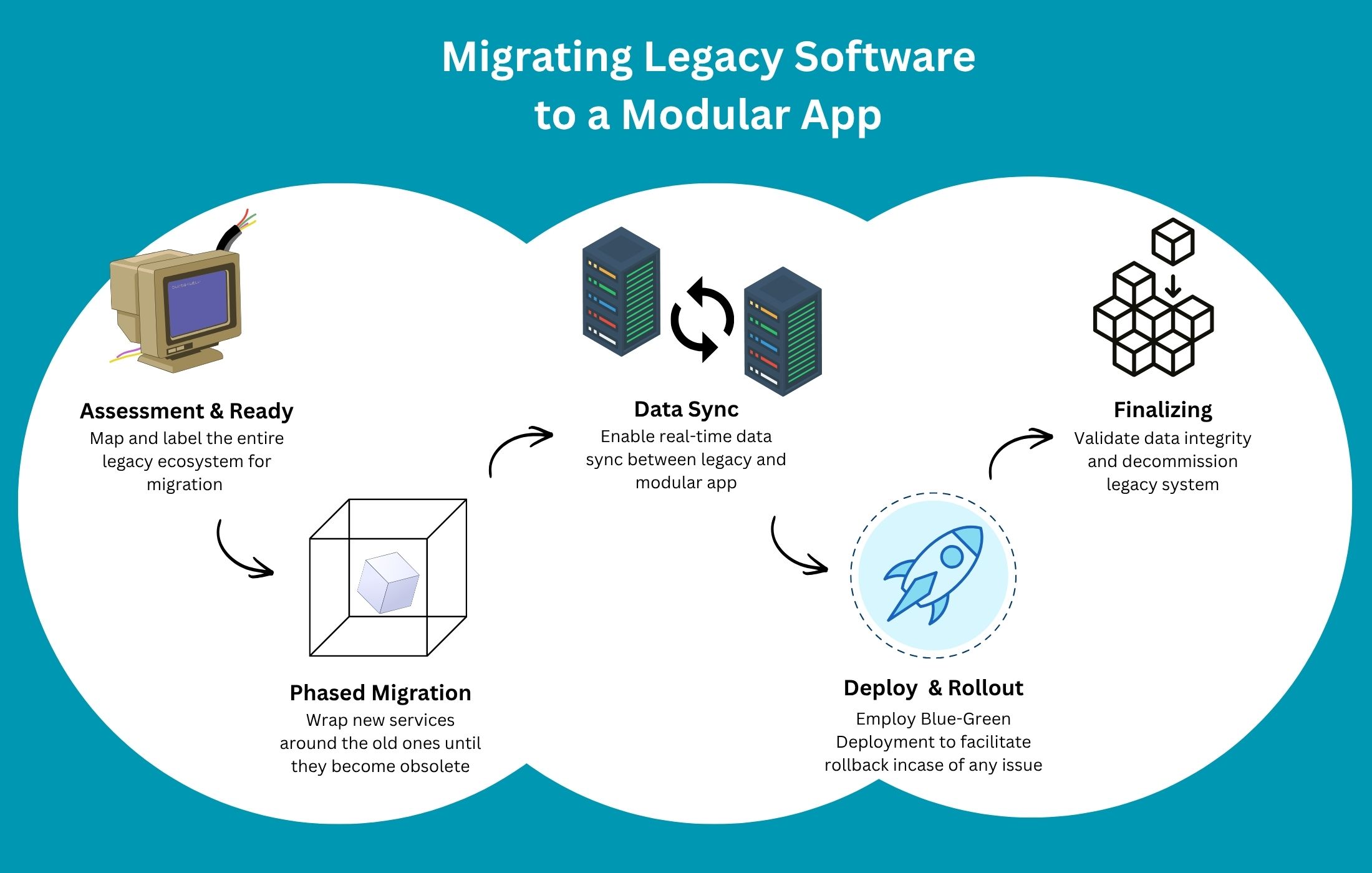
Before jumping into revising the codebase, assess the existing system to understand its intricacies, component relationships, architecture, APIs, and third-party integrations.
- Create a Dependency Matrix: Map out all systems, databases, APIs, and third-party integrations to understand how everything connects, and avoid unexpected failures during migration.
- Identify Migration Boundaries: Break your monolithic system into small, independent modules like authentication, billing, reporting, or notifications to work on individual components.
- Select a Pilot Component: Choose a low-risk, high-impact feature, like a reporting dashboard or user profile services, to test your migration strategy safely.
Do this for all until you map out and label the entire ecosystem.
Step 2: Implement the Strangler Fig Pattern (Phased Migration Approach)
This step is the backbone of zero-downtime migration. Instead of replacing your entire system at once, you gradually wrap new services around the old ones until the old ones become obsolete.
Do not worry about overwhelming the server with a new codebase, as most services are hosted in the cloud.
- Introduce a Façade (Proxy layer): Place an API gateway (like Kong or Nginx) between users and your backend systems to give you control over request routing without changing the frontend. Initially, all traffic still goes to the legacy system, but users won’t be disrupted.
- Develop New SaaS Modules: Firstly, rebuild your selected module as a cloud-native microservice using containers (e.g., Docker) and APIs. It allows independent deployment, scaling, and updates.
- Implement an Anti-Corruption Layer (ACL): Use an ACL to translate data between the new modules and the remaining older system, allowing them to coexist.
- Redirect Traffic Gradually: Use the proxy to route requests from the legacy system to the new module via the API gateway, while leaving everything else as is. With this, users experience zero disruptions.
- Iterate Continuously: Repeat the process for each new module until the legacy software is no longer needed, as incremental migration reduces risk and enables continuous improvement.
Step 3: Data Migration and Synchronization with Zero Downtime
Data is where migrations get complicated and messy, and where most failures, including downtime, occur.
In fact, data-related issues account for over 80% of migration risks, where incremental strategies reduce migration failure rates by up to 35%.
Here’s how you can handle data migration without downtime.
- Change Data Capture (CDC): Enable real-time synchronization between legacy and new databases by capturing and replicating changes in real time. It keeps both systems aligned while users continue interacting with the application.
- Data Shadowing: Run your new database as a shadow of the legacy system, reading live data until it’s ready to take over, which eliminates the need for a risky, one-time data switch.
- Split Database Schema: Decouple data ownership by giving the new module its own data store, breaking away from the monolithic database.
- Incremental Data Load: Migrate data in small chunks rather than large batches to prevent system strain or downtime, since large migrations can lock databases and disrupt operations.
Step 4: Deployment and Rollout Strategies
Here’s where your new system meets real users.
- Blue-Green Deployment: Maintain two identical environments, such as "Blue = Current System" and "Green = New System," and switch traffic instantly when the new system is ready. It provides instant rollback if anything goes wrong.
- Canary Releases: Use feature flags to release the new feature to a small percentage of users first, and closely monitor performance before full expansion. It limits risk and provides early, real-world feedback.
- Validate Data Integrity: Regularly check data accuracy throughout all phases of the migration with automated comparison tools, such as Datameer and Informatica.
Step 5: Finalizing and Decommissioning
This may be the final step, but you must not rush this part, because even a small mistake here can complicate your transfer process.
- Validate Data Integrity: Before you finalize the transition, run automated checks to ensure both systems contain identical, accurate data because even minor inconsistencies can lead to major business issues.
- Decommission Legacy Systems: Since premature shutdowns can lead to outages or data loss, shut down your legacy components only after confirming that no traffic is routed to them and all features are stable in the new system.
How to Mitigate Challenges During Cloud Migration
Cloud migration sounds straightforward, i.e., move, modernize, scale. But in reality, many businesses run into preventable issues because they overlook critical details.
Here are the most commonly missed factors, explained simply and concisely:
|
Challenge |
Description / Why It Matters |
Potential Impact if Ignored |
Mitigation Tip (Brief) |
|
Hidden Dependencies |
Undocumented external integrations, APIs, third-party connections, or internal couplings often exist in legacy systems. |
Sudden failures, broken workflows, and extended downtime during cutover. |
Create a comprehensive dependency matrix & run full integration mapping early. |
|
Data Integrity & Quality Issues |
Dirty, duplicate, inconsistent, incomplete, or obsolete data is migrated without cleaning. |
Incorrect reporting, compliance violations, customer trust loss, and application bugs. |
Implement data profiling, cleansing, deduplication, and validation rules before migration. |
|
Underestimating Downtime Risks |
Inadequate rollback plans, insufficient testing, or poor cutover strategy. |
Business disruption, revenue loss, reputational damage. |
Use the Strangler Fig pattern, blue-green deployments, canary releases, and dry-run rehearsals. |
|
Security & Compliance Gaps |
Legacy security models don’t match cloud requirements (encryption at rest/transit, IAM, logging, etc.). Missing compliance (GDPR, HIPAA, SOC 2, PCI-DSS). |
Data breaches, regulatory fines, legal issues, loss of customer trust. |
Conduct threat modeling, implement zero-trust, encrypt data, and run compliance gap analysis early. |
|
Cost Miscalculations |
Unoptimized cloud usage (over-provisioning, idle resources, data transfer fees, unexpected egress costs). |
Budget overruns, surprise bills, and projects perceived as failures. |
Right-size resources, use reserved instances/savings plans, implement cost monitoring & auto-scaling from day one. |
|
Performance Differences |
Latency introduced by cloud networking, different I/O patterns, or architectural changes. |
Slower response times, poor user experience, and higher abandonment rates. |
Perform load & stress testing in cloud environment early, optimize database queries, and use CDN where applicable. |
|
Inadequate Team Training |
Developers, ops, and QA are unfamiliar with cloud-native tools (Kubernetes, serverless, IaC, monitoring stacks). |
Slower delivery, configuration errors, security misconfigurations, and increased technical debt. |
Provide targeted cloud training, pair legacy & cloud experts, run knowledge-transfer sessions during migration. |
Conclusion
When you break systems into manageable parts, migrate incrementally, synchronize data intelligently, and deploy cautiously, you eliminate risk while maintaining business continuity.
If you are looking for a team to successfully migrate your legacy systems to a api-based, cloud architecture, contact Searchable Design, one of the most experienced offshore app development companies in the U.S.
Comments(0)
Your email address will not be published. Required fields are marked *
Recommended Posts
Unlock the Secret of Power BI to Empower Your Data Analysis
Turn Raw Data into Real-Time Intelligence with Power BI
Why More Startups Are Offshoring Data Engineering Roles in 2026
Unlocking Global Talent for Faster, Smarter, Scalable Growth through Offshoring Data Engineering
How to Empower Your Web Development Project in 2025?
Empowering Your Web Build with the Right Strategy, Stack, and Global Talent Network
RECOMMENDED TOPICS
TAGS
- offshoring
- outsourcing
- artificial intelligence
- remote team
- nepal
- web development
- bot model
- data analytics
- digital marketing
- it support
- business process automation
- offshore
- legacy software
- saas
- app development
- sprint planning
- remote engineering
- development
- recommender engine
- ai engine
- cybersecurity
- growth hack
- tiktok
- seo
- voice search optimization
- engineering team
- modular app
- cloud based
- api based
- data entry
- api workflow
- service level agreements
- data warehouse
- database
- cloud storage
- engineering
- bot
- scalability
- remote engineers
- insurtech
- global talent pool
- techical consulting
- power bi
- business intelligence
- backoffice
- communication
- outsource
- it roles
- data engineering
- data engineer
- content development
- business development
- offshore talent
- agentic ai
- insurance
- web security
- project management
- pms
- project management system
- agile methodology
- data
- data centric approach
- customer insight
- it infrastructure
- it sustainability
- cloud computing
- data decision
- off
- test
About
Data Not Found
NEWSLETTER
Related Posts
How to Future-Proof Your Insurance Legacy Systems Without Rewriting Everything
Integrate Modern InsurTech Features into Your Existing Legacy Systems—Without Starting from Scratch